
Accounts Payable Entry - A-Systems JobView Features
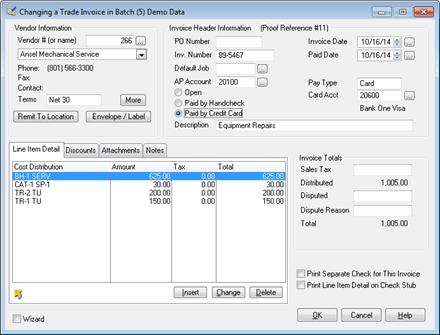
Adding an Accounts Payable Invoice is a simple process in A-Systems JobView. It is very much like the processes in the other modules in A-Systems JobView.
Step 1 is to select the Vendor. A Vendor may be looked up by name or by number. Type either one and the Vendor will be looked up automatically.
Step 2 is just a matter of filling in the rest of the boxes.
Step 3 is to add all of the items from the Invoice, one line at a time. Distribute the line items to as many accounts as necessary. That's all there is to it.
Of course, 1099s can be printed at year and. In fact, all of the functions and power needed to do Accounts Payable are in A-Systems JobView.
To try this yourself, order your own Free Trial Version of A-Systems JobView. You can do it online or by calling A-Systems toll free at (800) 365-6790. Do it today.